Turn your WordPress site into a place to collect leads & payments.
Build enquiry, intake and payment forms with conditional logic and multi-step flows. Start free, on unlimited sites.
Stripe and PayPal payments, including subscriptions, are included in Free. ChargeForms adds no platform fee. Payment processor fees still apply.
No account required · No credit card · Free core features
Three ways to make the next step easier.
Start with the job your form needs to do. The free plugin includes the core tools for all three.
An enquiry with context.
Service, budget and timeline. Ask for the details that make your first reply useful.
Start with a quote formIntake without the overwhelm.
Guide clients through a few clear steps, with follow-up questions only when they apply.
Explore client intakeA payment in the same flow.
Collect payments or subscriptions with Stripe and PayPal. No added ChargeForms platform fee.
Build your first payment formIllustrative workflows. Payment processor fees apply.
Step 3 of 3
Confirm your booking
Illustrative payment flow. Not an active checkout.
Payments are part of the form
Less chasing.
A clearer way to get paid.
Collect the details and the payment in one flow. Useful for consultations, donations, deposits and recurring services.
- Stripe and PayPal in the free plugin
- One-time and recurring payments
- No additional ChargeForms platform fee
Payment processor fees and account requirements still apply.
See the payment setup guideKeep your favourite tools
Your form is the start.
Your workflow comes next.
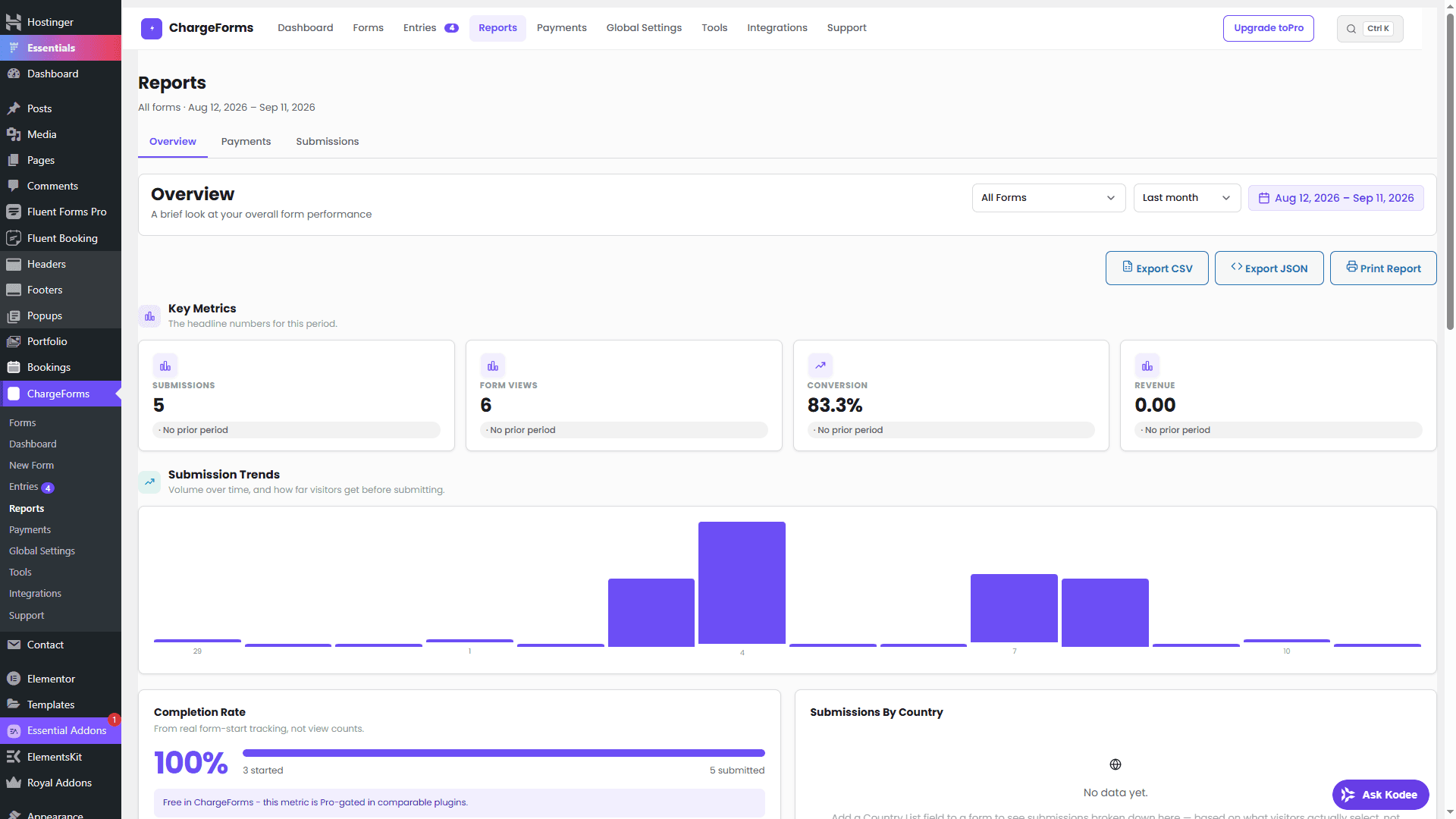
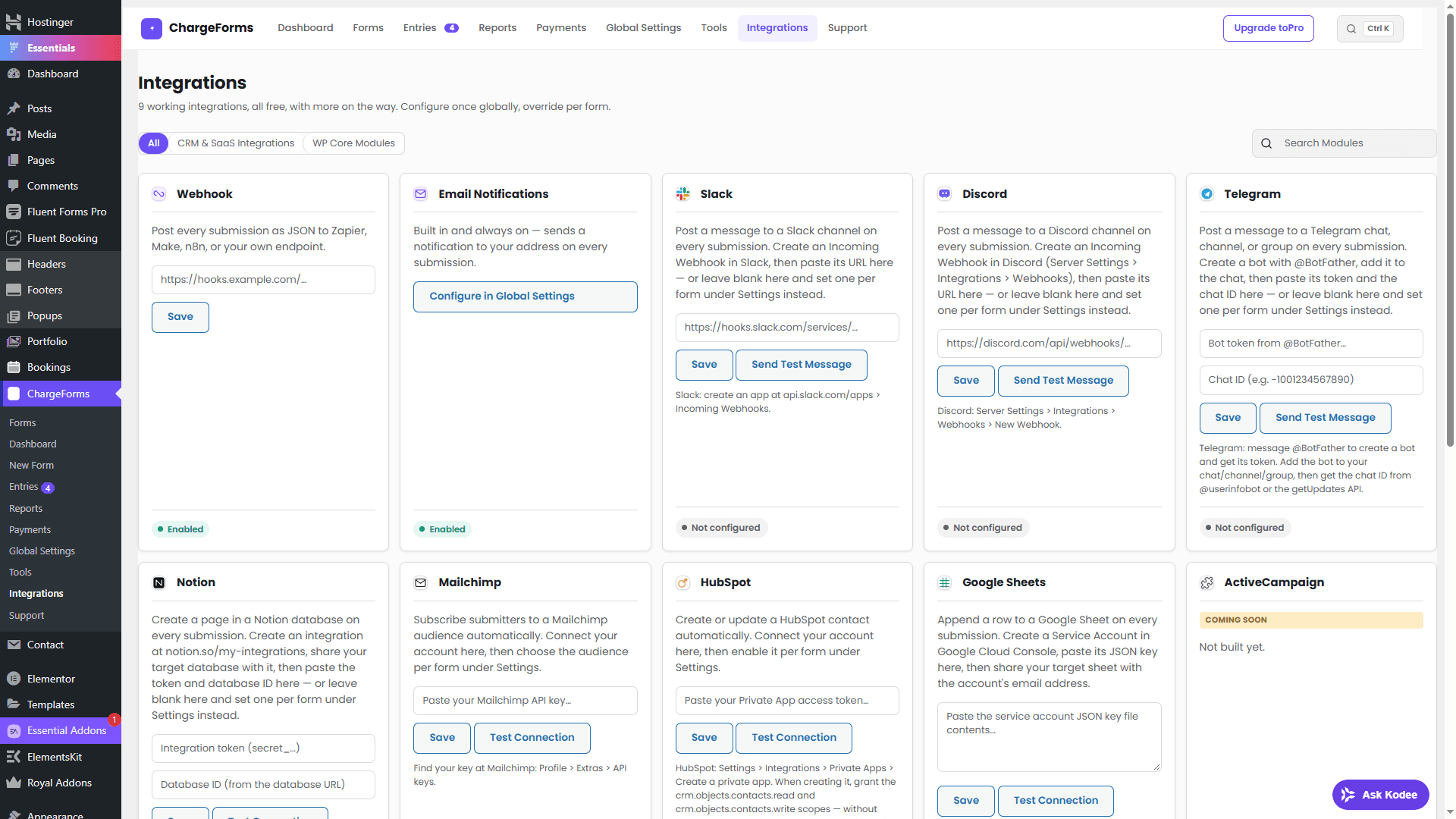
Put an enquiry in HubSpot, add a row to Google Sheets or let your team know in Slack. Connect once, then choose how each form fits your work.
Submission
New quote request
Let your AI assistant work with your WordPress forms
Connect a compatible MCP client to read entries, inspect payments and prepare form changes. Your forms and entries stay in WordPress; data returned to an assistant is shared with that client.
Example assistant workflows · illustrative, not a live connection
list_submissionsReadFetch submitted entries with an unread status. Your assistant can use the returned data to summarize the enquiries.
Write tools require a preview and a confirmation token. Review the change before allowing your client to confirm it.
Describe the form. See the blueprint.
Try the same explain → compare → build rhythm used by modern generative interfaces, with predictable results and no account or AI key required.
ChargeForms form blueprint generator
A quick product tour
The whole workflow, in one place.
From the first field to the final payment, see the real ChargeForms screens your team will use every day.
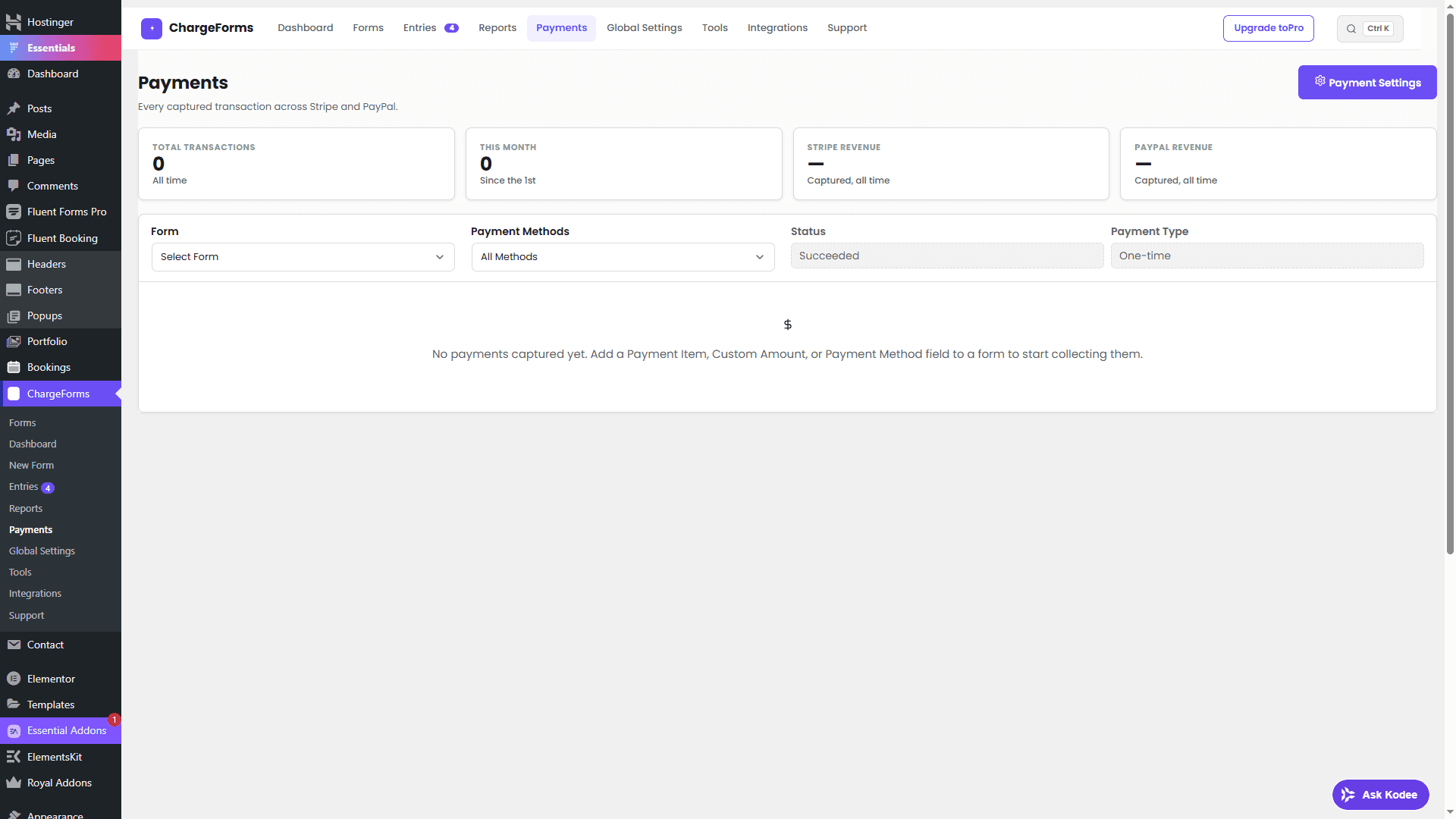
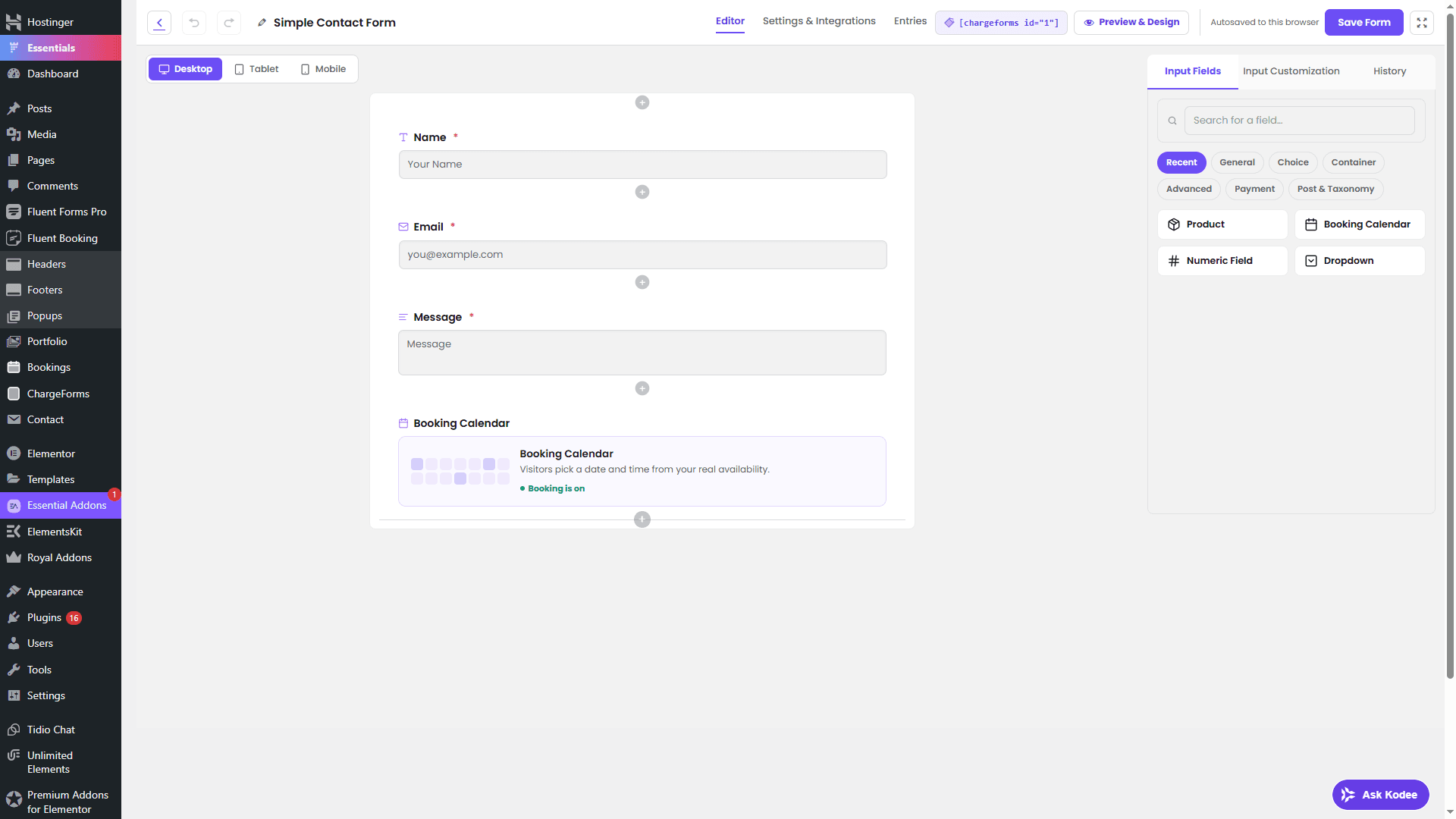
Build visually
Real product screenshot from ChargeForms.
See the product behind the possibilities.
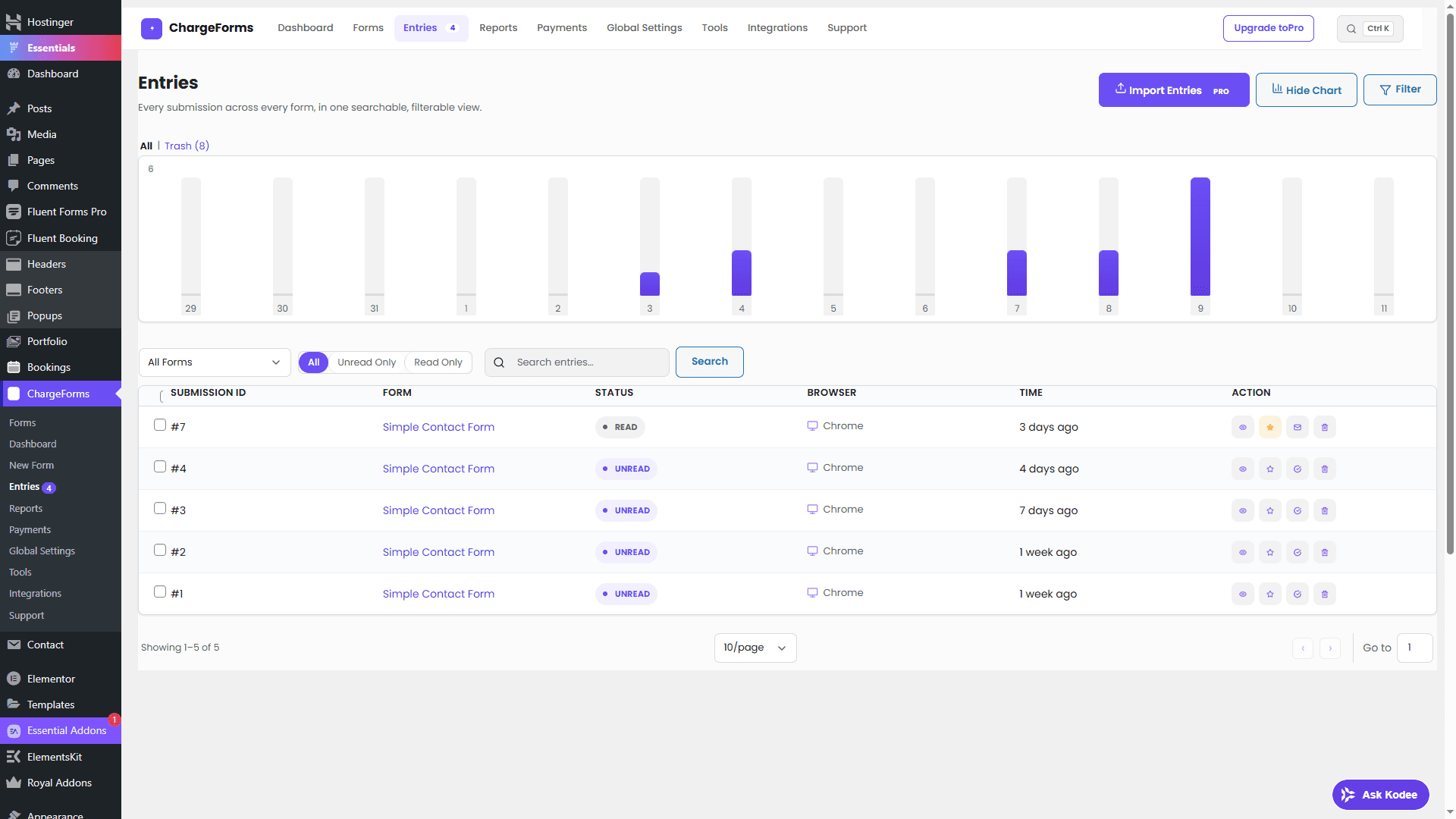
Real screens from a working ChargeForms installation. Build your form, then manage the entries inside WordPress.
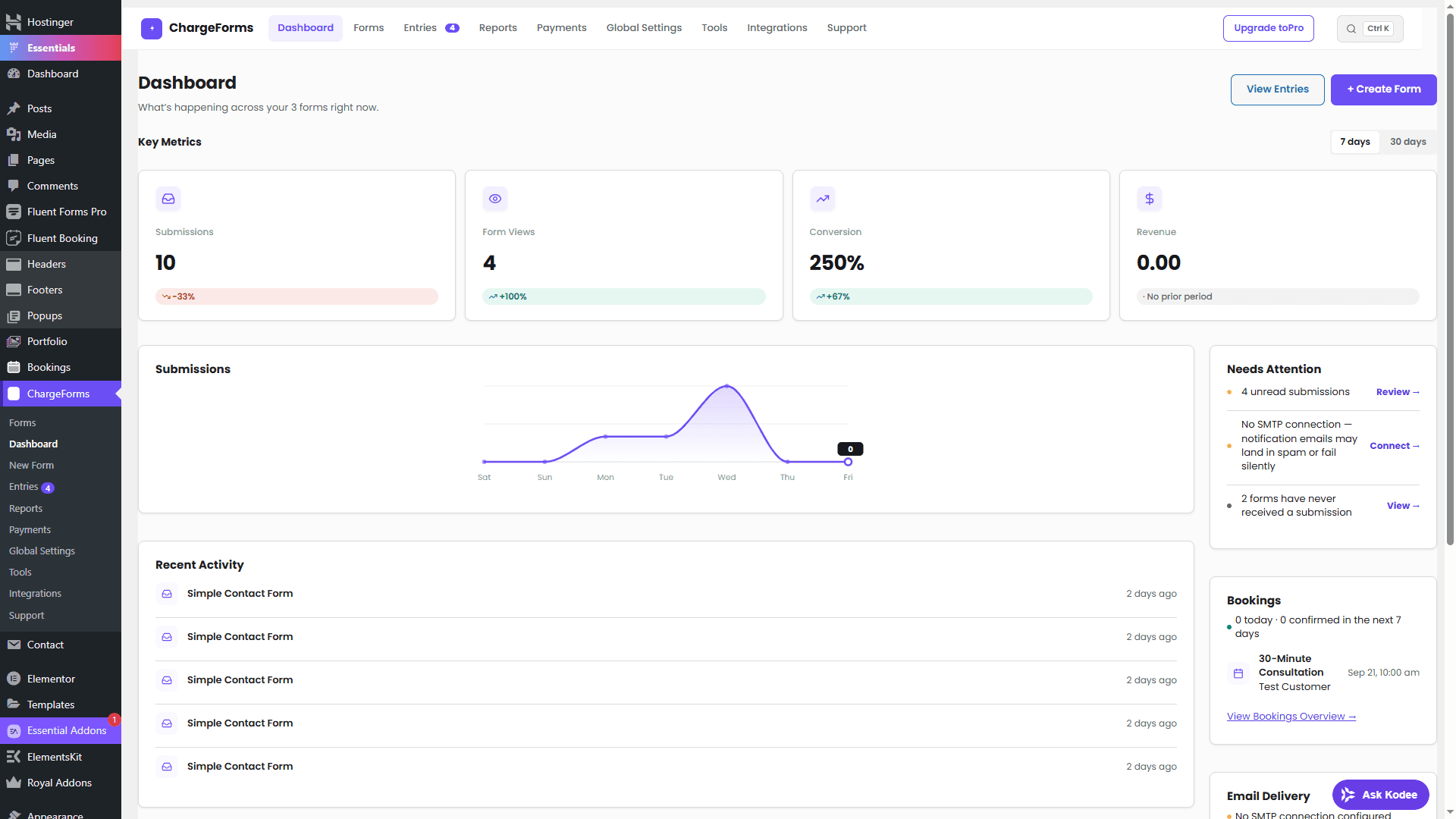
Know what's happening the moment you log in
Submissions, form views, conversion rate, and revenue — each shown with its change versus the prior period, so a number never has to be guessed at. A Needs Attention panel surfaces what actually needs a click.
- Real period-over-period metrics — Submissions, views, conversion, and revenue, compared to the prior period automatically.
- Needs Attention panel — Unread submissions, forms that have never converted, missing email setup — surfaced, not buried in menus.
- Submission trend chart — The shape of activity over the last 7 or 30 days, at a glance.
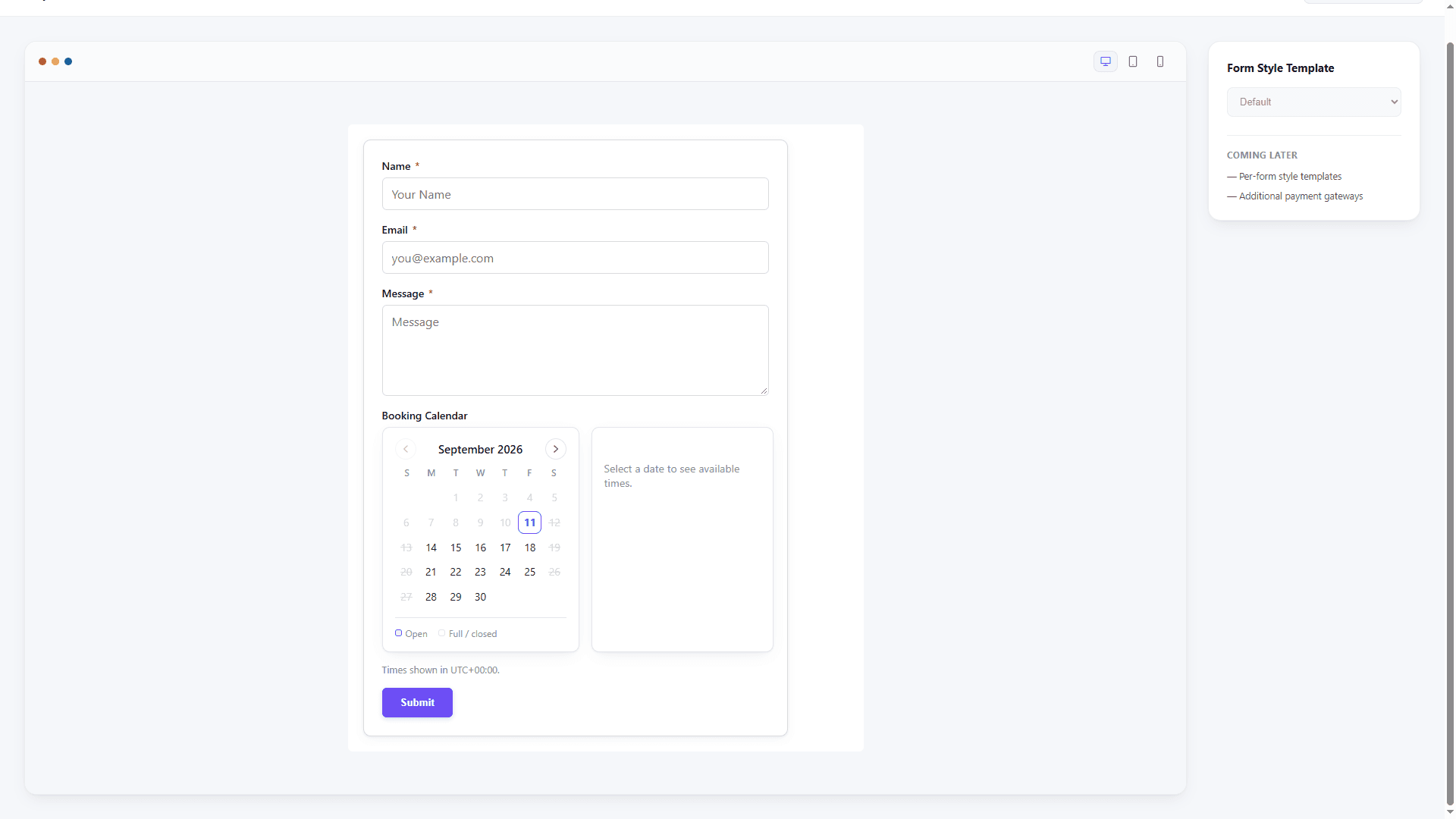
This is what your visitor actually sees
The real, published, customer-facing form — clean, focused and ready to sit inside an existing WordPress page.
- Builder-first workflow — Design the form in WordPress, then review the real published page before sending traffic to it.
- Clean, distraction-free layout — Nothing about the public form looks like an admin tool got left visible.
- Renders on any theme — Lightweight front-end output that doesn't fight your site's own styling.
A template for whatever you're building
Start from a real template instead of a blank canvas — every one is fully editable after you use it.
Built for real forms, not just contact forms
From a two-field newsletter signup to a multi-step application with payments — ChargeForms scales with what you're actually building.
Conditional logic, actually working
Pick a source below and watch a field appear — the same show/hide behavior ChargeForms' rule engine runs on your own site, not a screenshot.
Every toggle above is real, live state — the same show/hide engine ChargeForms runs on your own WordPress site, not a recording.
From download to your first submission
No ChargeForms account or paid license is needed for the free plugin. You will need a WordPress site with permission to install plugins.
- 1
Install the free ZIP
Download ChargeForms. In WordPress, choose Plugins → Add New → Upload Plugin, then install and activate.
- 2
Build one useful form
Start with an enquiry form. Add the fields you need, set your notification email and publish using a shortcode or block.
- 3
Send your first test entry
Open the page on your phone. Submit an entry and confirm it reaches both the Entries screen and your email.
New guide · Practical checks for your WordPress site
Before you spend money on ads, check these 5 things.
Make the path from a click to a conversation easier before you send more people to your website.
Read the checklistStart free. Upgrade only when you need to.
No feature countdown, no submission caps disguised as a 'trial'. The Free plan is a real, complete product.
Free
Everything a real form builder needs — genuinely free, not trialware.
Unlimited sites- Unlimited forms & submissions
- 30+ field types, across standard, advanced, and payment fields
- Conditional logic — nested AND/OR/NOT
- Multi-step forms with progress bar
- Stripe & PayPal payments, including recurring subscriptions
- Entry management & CSV export
- Reports & analytics
- Role-based permissions
- Double opt-in & spam protection
- Native SMTP email delivery (1 connection)
- Webhook + 7 direct integrations
- Community support
Single Site
Save & Resume and other Pro features for one site.
1 siteIncludes a year of updates and priority support.
- CSV entry import
- Industry Pack templates (Real Estate, Healthcare, Education, Legal, Restaurant, Events, Non-profit)
- Save & Resume field (visitors can finish a form later)
- Multiple SMTP connections
Agency
For agenciesPro features and priority support for up to 5 client sites.
5 sitesIncludes a year of updates and priority support.
- CSV entry import
- Industry Pack templates (Real Estate, Healthcare, Education, Legal, Restaurant, Events, Non-profit)
- Save & Resume field (visitors can finish a form later)
- Multiple SMTP connections
Unlimited
For companies running ChargeForms across every site they own.
Unlimited sitesIncludes a year of updates and priority support.
- CSV entry import
- Industry Pack templates (Real Estate, Healthcare, Education, Legal, Restaurant, Events, Non-profit)
- Save & Resume field (visitors can finish a form later)
- Multiple SMTP connections
When is a paid plan worth it?
Use Free for payments, conditional logic, multi-step forms, reports and core integrations—even across multiple sites. Upgrade for these specific needs, plus priority support.
- Visitors need to finish an application later
- Save & Resume lets them return through an emailed link.
- You need more than one sending connection
- Multiple SMTP connections give you more email configuration options.
- You want a starting point for a specific industry
- Industry Pack templates cover real estate, education, events and more.
- You need to import existing entries
- CSV entry import brings entry data into ChargeForms.
Paid plans have the same Pro features. Choose 1, 5 or unlimited sites. Tell us what you are building if you need help choosing.
Frequently asked questions
Publish your first form with ChargeForms
Start with the free plugin. Add Save & Resume, industry templates, CSV entry import or multiple SMTP connections when you need them.